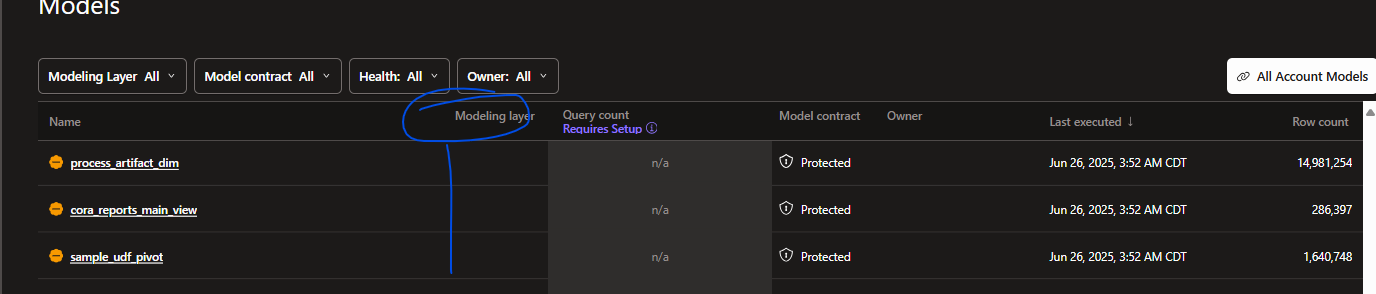
In dbt Cloud in Catalog, under Model we see table listing all our models. There is a column named Modeling layer but it is not populated. How can I get this populated? We have Generate docs on run checkmarked for our daily job run for these models which are in a PROD deployment type environment.
Is it in a models.yml file somewhere that we need to define what is Staging, Intermediate, and Marts?
Our folder structure is:
dbt
-models
—dm_core (our mart models)
—sources (our staging models)
—stage (our intermediate models)
I had the same problem and got this response from support:
The “Model layer” lens in Catalog uses standard naming conventions:
Staging: models in /staging/ or with stg_ prefix
Marts: models in /marts/ or with fct*, dim* prefixes
Intermediate: models in /intermediate/ or with int_ prefix
If your models are in custom folders (like /stage/ or /presentation/), they will not be automatically recognized as Staging or Marts in the modeling layer lens.
To have your models appear in the correct layer:
Move or rename your model files to the standard folders (/staging/, /marts/, etc.)
Or, use the standard naming prefixes (stg*, fct*, dim*, int*) for your model files
:”
So it looks like we’re unfortunately stuck with renaming models or the model path